
A useful SaaS technical SEO audit starts with the pages that support a buying decision, then checks access, indexing, rendering and the path to an enquiry. A large issue count is not a prioritised implementation plan. Your team needs evidence, affected URLs, an owner and a way to verify each fix.
Choose a representative sample: the homepage, a product page, a use-case page, an integration page, a comparison, an article and the contact or demo page. Include a recently launched page and a page that should not be indexed. Document the intended behaviour before checking the actual response.
1. Can crawlers reach the intended page?
Check the final HTTP response, redirects and access controls. A public page should not require a login or return a soft error. Review robots rules and any CDN or hosting restriction. A staging environment should remain excluded from indexing, while launch controls should be reviewed intentionally.
Record the exact URL and the result. “The website is crawlable” is too broad when a product subdirectory behaves differently from the blog. Test a missing URL as well: a branded error page should still return the appropriate error status.
2. Is the indexing decision clear?
Inspect the robots meta tag, HTTP indexing directives and canonical URL. Confirm that a production page does not retain a staging noindex directive. Check that internal links and the sitemap use the preferred URL rather than several competing versions.
Use Search Console's inspection tools to compare your expectation with the observed indexing state. A sitemap helps discovery; inclusion does not guarantee indexing. If a page is excluded, investigate its content, duplication and technical signals before repeatedly resubmitting it.
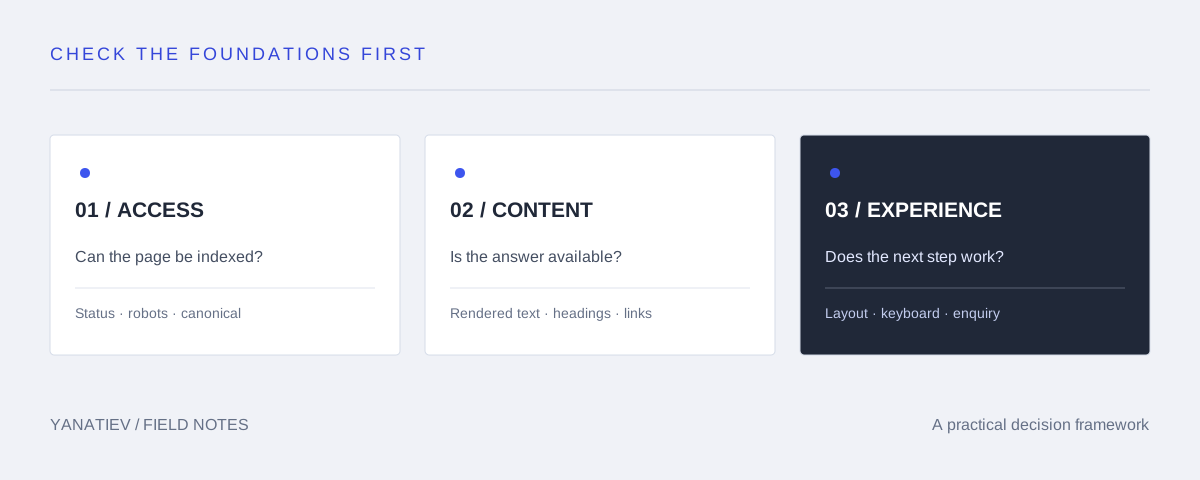
3. Does the rendered page contain the real content?
JavaScript applications deserve particular attention. Compare the initial HTML and rendered page for the main heading, explanatory copy, links and metadata. Confirm that content is not available only after an interaction a crawler is unlikely to perform.
Use normal links with destinations for navigation. A button that changes application state is not necessarily a useful discovery path. If your CMS separates content from the frontend, review who owns the title, description, canonical and image fields. The Contentful guide provides related CMS context.
4. Can a reader move between related decisions?
Check links from product and use-case pages to relevant proof. Connect technical guides to the capability they explain, and make the next commercial step easy to find. Review orphan pages and broken links, but assess importance before changing the site architecture.
An integration page should explain what the integration does, its constraints and the next step. Repeating a generic paragraph across dozens of integrations creates maintenance work without necessarily creating useful answers.
5. Is the page usable on a real device?
Review layout stability, loading behaviour, readable type, keyboard navigation and horizontal overflow. Reserve image dimensions so content does not jump as assets load. Test the contact path on a narrow screen and at increased zoom.
Use performance measurements to find specific bottlenecks. A lab score is diagnostic evidence; it is not a direct statement about every user's experience or a promise of rankings. Record the device, connection and test conditions when comparing results.
6. Does the enquiry path work?
Submit a controlled test only in an agreed environment. Check validation, the success response and the actual destination of the enquiry. A form can show success after accepting data without delivering an email to a person's inbox. Keep those events separate.
Track a conversion only after the server accepts the request. Do not put email addresses or message contents in analytics events. If a prospect contacts you directly, ask how they found you and record the answer alongside the technical attribution.
Turn findings into a backlog
| Finding | Priority rationale | Acceptance check |
|---|---|---|
| Noindex on a public product page | Blocks intended eligibility | Directive removed in production and inspection repeated |
| Important page has no internal links | Weak discovery path | Relevant visible links reach the preferred URL |
| Image shifts the enquiry button | Disrupts a user action | Dimensions reserved; mobile layout checked |
Include screenshots or response evidence, the affected template, an owner and a review date. Avoid presenting every warning as urgent. Fixes should be verified against the original problem.
NEED A SECOND PAIR OF EYES?
Turn the checklist into a focused implementation plan.
Explore SaaS SEO consulting and the consultant evaluation guide.
Sources
Google: JavaScript SEO basics and crawlable links. The order above is an editorial prioritisation framework; adapt it to the actual website.